Devilishly Disabled is a company offering funny t-shirts and humour designed to shock and challenge society’s perception of those with disabilities, using edgy, bold and thought-provoking designs.
My task for this project involved producing a 2D devil character with humour being expressed. The character needed to be printed onto t-shirts, followed by a 3D model for a potential movie. The requirements for the character were as follows:
- A maximum of three colours on each design – red, black and white, as it’s too expensive to print otherwise.
- The character needs to be sat in the chair with a bandaged left leg (like it is in a cast).
- The chair needs to be facing forwards (like the little devil is looking out of a window).
- It needs massive puppy-dog eyes on the devil (big black pupils) and a big cheesy grin.
2D graphics – planning
Before going straight into Photoshop or Illustrator to design the character, it is highly recommended to sketch some characters first. I was hesitant to actually show this one as my sketch is pretty… well… basic, lol. But this is a process showcase ;)
Variations of the character’s faces were roughly sketched, and despite some of them not being chosen, they all played a part in identifying which features worked and which didn’t in relation to the final character’s design. One thing I often do is allow my sketches to be very loose and sketch anything that comes into my mind – quite often, the most random ideas are the best! After the drawing and planning stage, I make sure the proportions are correct once the character is in the vectorising stage.
When a good facial shape is established, I then move on to the next stage, which is to work on the facial emotions. This is a very important aspect of any character design. The viewer needs to have some sort of connection with the character, which can be achieved in different ways. In this case, it was the devil’s eyes. Without this emotion, the design would be flat.
When undertaking rough sketches, I try to outline or give thicker lines to features that I think need more attention from the viewer’s eye. For example, the nose, the big black pupils and the big cheesy grin all had a thicker outline to give them more depth.
The same process is applied to each section of the character – draw anything that comes into your mind and then undertake a process of elimination to find out what doesn’t work. I have found this process to work really well regardless of the project’s requirements. This exact process was used when I was producing the Leopallooza game.
2D graphics – vectors
This stage in the project involves producing the line art to bring the character to life. I define the major parts of the devil character with stronger strokes, allowing the thinner strokes to act as details – the majority of which you probably don’t even notice. So major elements like the nose, the big black pupils and the big cheesy grin need thicker outer strokes. These help not only to create the character’s style, but to draw the viewer’s eye to the elements I want them to focus on. If everything shared the same stroke weight, the character would be unreadable. Varied stroke weights allow people to instinctively read a character.
With the overall shape, structure and facial expressions of the devil character produced, the next stage in the project was to design the t-shirts.
2D graphics – t-shirt designs
The requirements for the t-shirt design were as follows:
- A forward-facing shot.
- The casters (the small front wheels) lifted into the air.
- Massive black pupils and a big cheesy grin, but as if the grin is coming out of the side of the devil’s mouth (sort of Muttley style, the dog from Wacky Races).
- A speech bubble containing the slogan “Hey ladies, I bet your man can’t do this while he’s walking”.
The devil character had been produced in vector format, allowing it to be scaled up. The only additional features required were some lines in the background giving the design an effect of motion. Using paths in Illustrator, this was easily achieved.
3D graphics – particle system
As the character is a furry character, a particle system has to be added to achieve this effect. However, even before starting, I knew this was not going to be easy due to all the physics that needed to be tested. Similar to the water simulations I did for Gecko Head Gear, and as with anything being simulated from the real world, anything can happen. For example, if a wind force is applied to the particle system, you need to describe how the particles react to the force – how springy or bouncy they become, and indeed how many particles are affected. In this case, I had to define how much the fur bounces off the 3D model and how springy the hair particles need to be.
Due to the complexity of the devil model, I decided to test the particle system on a standard UV sphere. This speeds up the baking of the simulation as well as reducing the number of samples needed to render. The more vertices (details) you have in your scene, the longer it takes to render and the more samples are needed. As this test scene only has one shape, it renders very easily, allowing me to see how the light is bounced off the tip and root of each strand of hair.
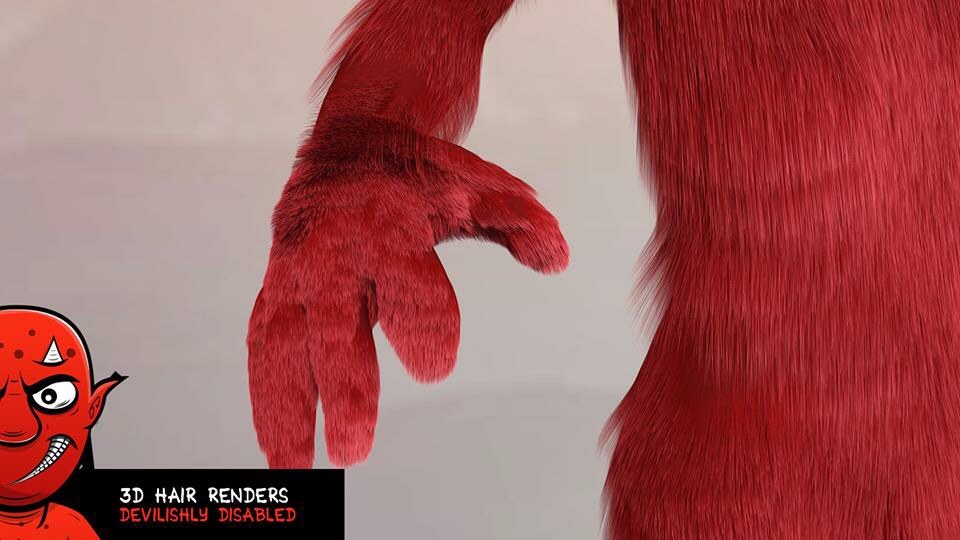
When I was happy with how the particle system was behaving, I applied it to the 3D devil model. This render took a lot longer, given the complexity of the model and the number of strands of hair needed to cover it. Here’s the final result.